

LabEx Pro in the app
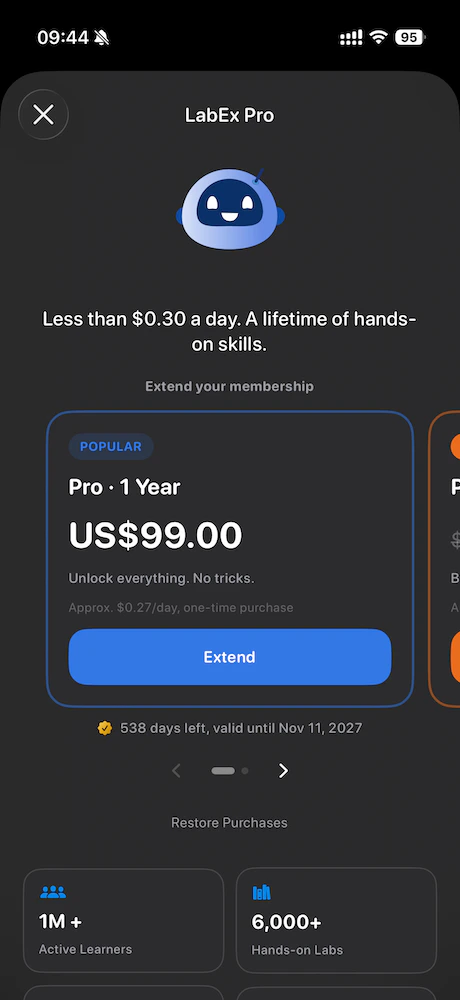
You may open pricing from:- The sidebar (iPhone Upgrade / Pro control, Mac Upgrade / Pro next to your account area)
- The learning experience (for example, when a feature needs Pro or a VM rule sends you here)
- Profile in contexts that still show a membership button
What you see
-
Non-Pro
You see plan cards (for example one-year and two-year options), Restore purchases, and short footnotes about App Store billing. -
Pro (LabEx account)
When your LabEx account already has Pro, the app shows status, renewal or expiry information, and a Manage billing link that openshttps://labex.io/account/billingsin the browser.
Profile and sign-out
iPhone
Open Profile from the sidebar avatar. You see avatar, display name, join context, skills count, country, and membership summary. Sign out clears your session in the app and returns you to the learning home welcome state. The app does not immediately pop the sign-in sheet again; you choose when to sign in.Mac
Open Account from the bottom of the sidebar. Sign out closes the window and resets the signed-in experience the same way.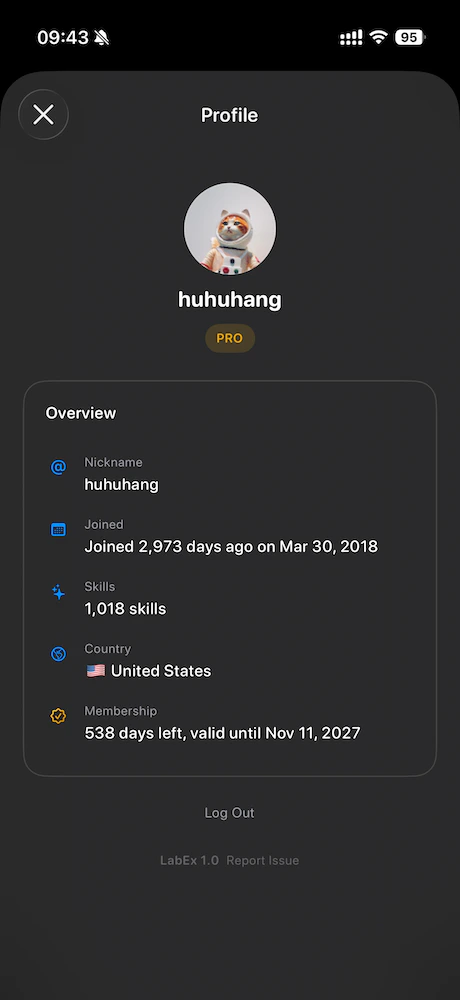
Push notifications
If you enabled notifications, LabEx can register your device for remote push when you are signed in. Tapping a notification that includes a link uses the same in-app routing as other LabEx URLs when supported.Send feedback with a log
At the bottom of Profile, next to the app version, use Send feedback (wording may match your app language). This starts an email to feedback@labex.app and attacheslabex-runtime-log.txt, a diagnostic file that helps support see recent app and network activity (sensitive values are redacted or masked).
-
iPhone
Uses the system mail composer when mail is configured; otherwise you get guidance to copy the log or use amailtolink. -
Mac
Copies the full log to the clipboard and opens Mail.app formailtowhen possible, so the log is easy to paste if Mail is not your default handler.
More help
- Learning concepts: Labby AI, Virtual Machine, FAQ
- Account on the web: Managing your account
- General questions: the LabEx Support Center and
info@labex.io